
Realized gains & losses
Reconcile → Realized Gains & Losses lists what every token realised, period by period, and is where you post it. The figures come from each token's cost basis timeline, grouped by the period on its opening balance (monthly or yearly).
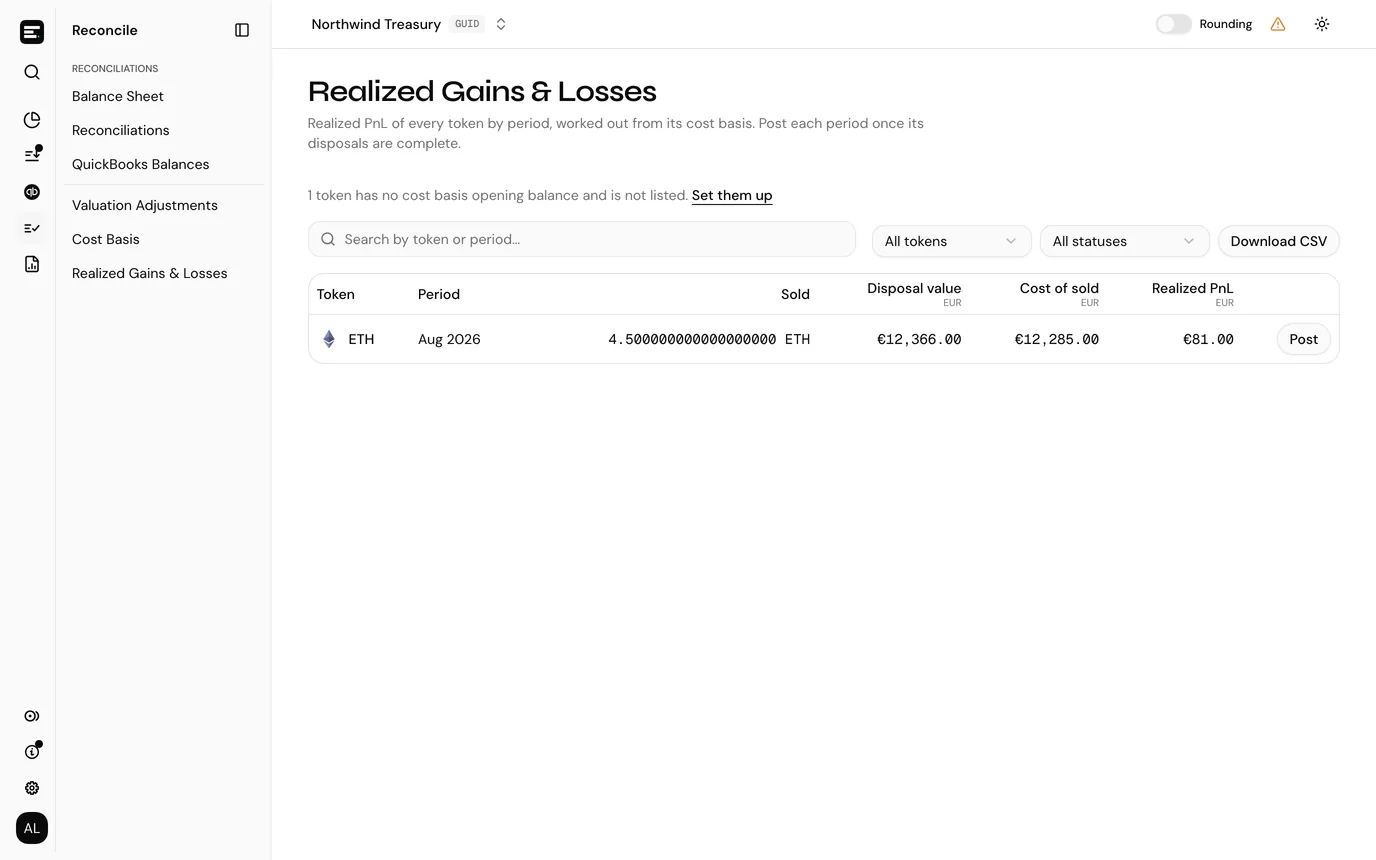
Only tokens with an opening balance are listed. If some have none, a line above the table says how many, with Set them up linking to Cost Basis. Only periods in which the token was sold or spent are listed, plus any period already posted.
The list
| Column | What it is |
|---|---|
| Token | Opens the token's cost basis page. |
| Period | The month or year. |
| Sold | Quantity disposed of during the period, including tokens spent on fees. |
| Disposal value | What the sales brought in plus the value of tokens spent on fees (a posting whose category has FEE as one of its underscore-separated words, such as BLOCKCHAIN_FEE). |
| Cost of sold | What that disposed quantity originally cost, determined by the cost basis type. |
| Realized PnL | Disposal value less cost of sold. Under Spec ID, blank until every disposal in the period is identified. |
The last column holds the action for the period's status:
| Status | Meaning | Action |
|---|---|---|
| To post | The realised PnL is known and not posted yet. | Post |
| Lots to identify | Spec ID: some disposals in the period have no lots chosen yet. | Identify lots |
| Posted | Already posted. | View postings |
| Nothing to post | The realised PnL is zero. | None |
Filter by token (All tokens) and status (All statuses), or search by token or period. Newest periods come first. Download CSV exports the rows shown, with the method, sale proceeds and fees paid as separate columns, the status, and the transaction ID of the posting for a posted period.
A token's cost basis page links here with Realized gains & losses, filtered to that token.
Posting realised PnL
A period To post offers Post, which turns the calculated figure into a posting without leaving the page. Under Spec ID, a period with any disposal still to identify is Lots to identify instead; Identify lots opens the token's cost basis page.
The Post realized PnL dialog shows what it will create and what it needs:
| Field | Notes |
|---|---|
| Transaction ID | Generated and read-only, in the form REALIZED_PNL:<period>:<token id>. |
| Realized PnL | The figure from the summary. Read-only: this posts the calculation, it does not let you revise it. |
| Period end date | The posting's date: the last day of the period. Read-only. |
| From account | Any of your QuickBooks accounts. Required. |
| To account | A QuickBooks account with the Contra role. Required, and it must differ from the from account. |
| VAT code | Optional. Only shown when VAT is enabled for the entity. |
| Category | Required. |
| Description | Prefilled as Realized PnL for <token> <period>, and editable. |
If no QuickBooks accounts are imported, or none has the Contra role, the dialog says so and points you to the QuickBooks accounts page. See QuickBooks accounts.
Select Post. The period then reads Posted and its action changes to View postings, which opens Posted Transactions filtered to the entry that was created.
A period can only be posted once; the dialog refuses a second attempt rather than creating a duplicate.
What this needs
Posting realised PnL needs write access. Viewers see the list without Post. See roles and permissions.
IAS 38 entities
An entity that remeasures its tokens under IAS 38 can view this page but not post from it. Under IAS 38 the gain or loss on tokens sold is the proceeds less their carrying amount, not their cost, and the IAS 38 remeasurements on Valuation Adjustments post it to the disposal result account at each reporting date. The figures here are proceeds less cost basis cost, for tax or management reporting. Periods show Not posted instead of To post or Nothing to post, and periods posted before the switch to IAS 38 still show Posted.
Next
Transactions is where the figures come from, and where Spec ID lots are identified.